Partners Overview
Dieser Inhalt ist noch nicht in deiner Sprache verfügbar.
Partners in TransferVista are external businesses that work with your transfer company. A single partner can be set up as one or both of the following:
| Type | Description |
|---|---|
| Booking Partner | Has their own booking link, can create bookings (e.g. hotels, travel agents). Commission can be added on top of your prices. |
| Transfer Operator Partner | Can be assigned to fulfill transfer bookings. Receives assignment notifications and can accept or decline. |
You can configure a partner as only a Booking Partner, only a Transfer Operator, or both. Use a Booking Partner when an external business (e.g. hotel, travel agent) sends you bookings via their link; use a Transfer Operator Partner when an external company fulfills transfer assignments you assign to them.
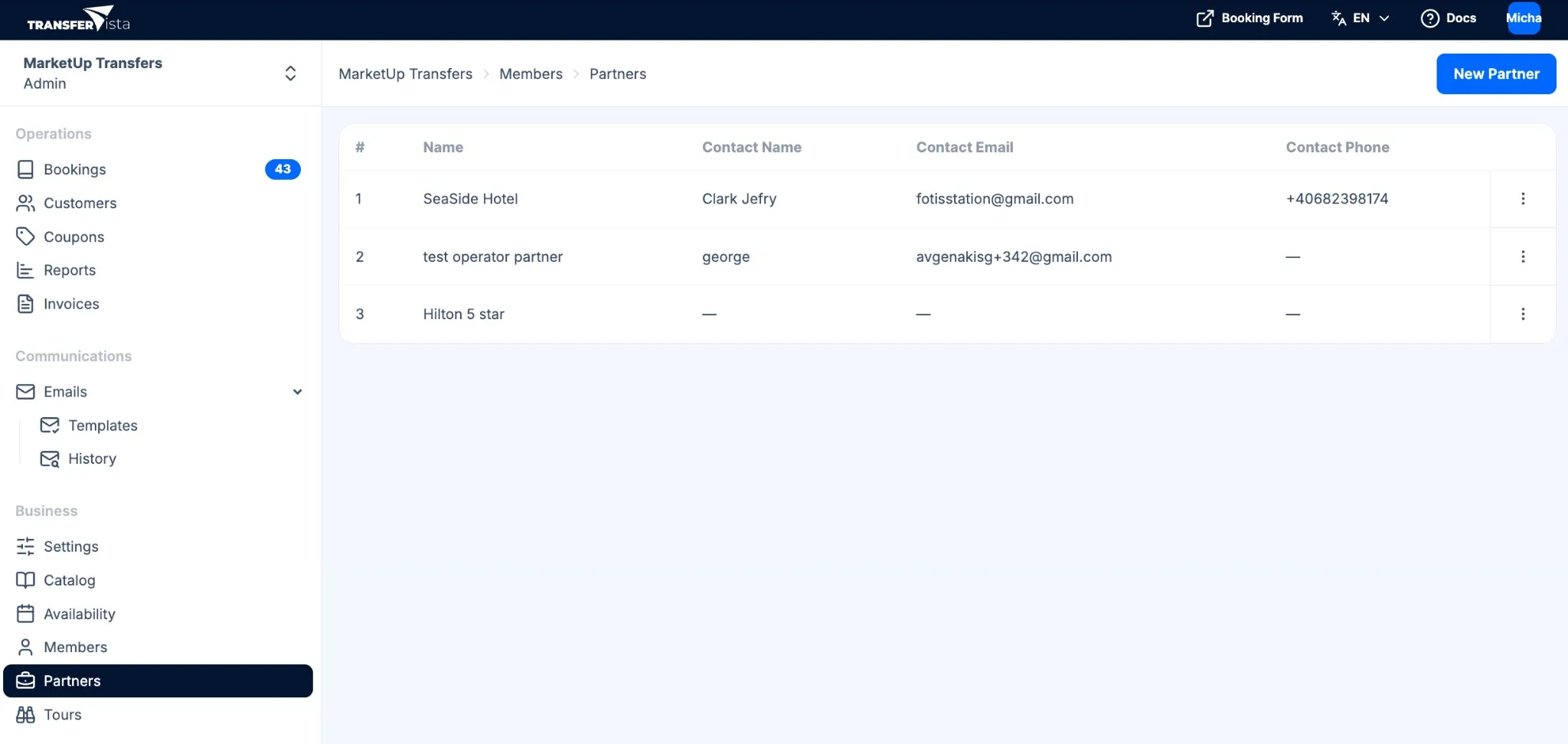
Partners are listed under Partners in the sidebar (under Business). Use New Partner to add one; the table shows #, Name, Contact Name, Contact Email, Contact Phone, and Actions (row menu). Click a partner or use the row actions to view and edit their details (name/business/title, contact name, email, phone, and capability toggles: Can Book Transfers, Can Book Tours, Is a transfer partner/operator). You can delete a partner from the row actions menu or from their details page.
Partners vs team members
Section titled “Partners vs team members”- Partners – External companies; they have their own booking URL and/or can be assigned to jobs. Managed under Partners.
- Team members (e.g. Owner, Manager, Staff, Driver) – People who log in to your admin or driver app. Managed under Team and Drivers.
Next steps
Section titled “Next steps”- Booking Partners - Set up partners who book with commission
- Transfer Operators - Set up partners who fulfill transfers