Availability Overview
Esta página aún no está disponible en tu idioma.
Availability settings in TransferVista control when and where customers can book transfers. This is separate from pricing: Catalog > Areas define pricing zones; Availability defines where your service operates and which rules apply (e.g. hours, dates).
What availability affects
Section titled “What availability affects”- Where – Availability Zones define the geographic areas in which you accept bookings (e.g. Athens, airport corridor).
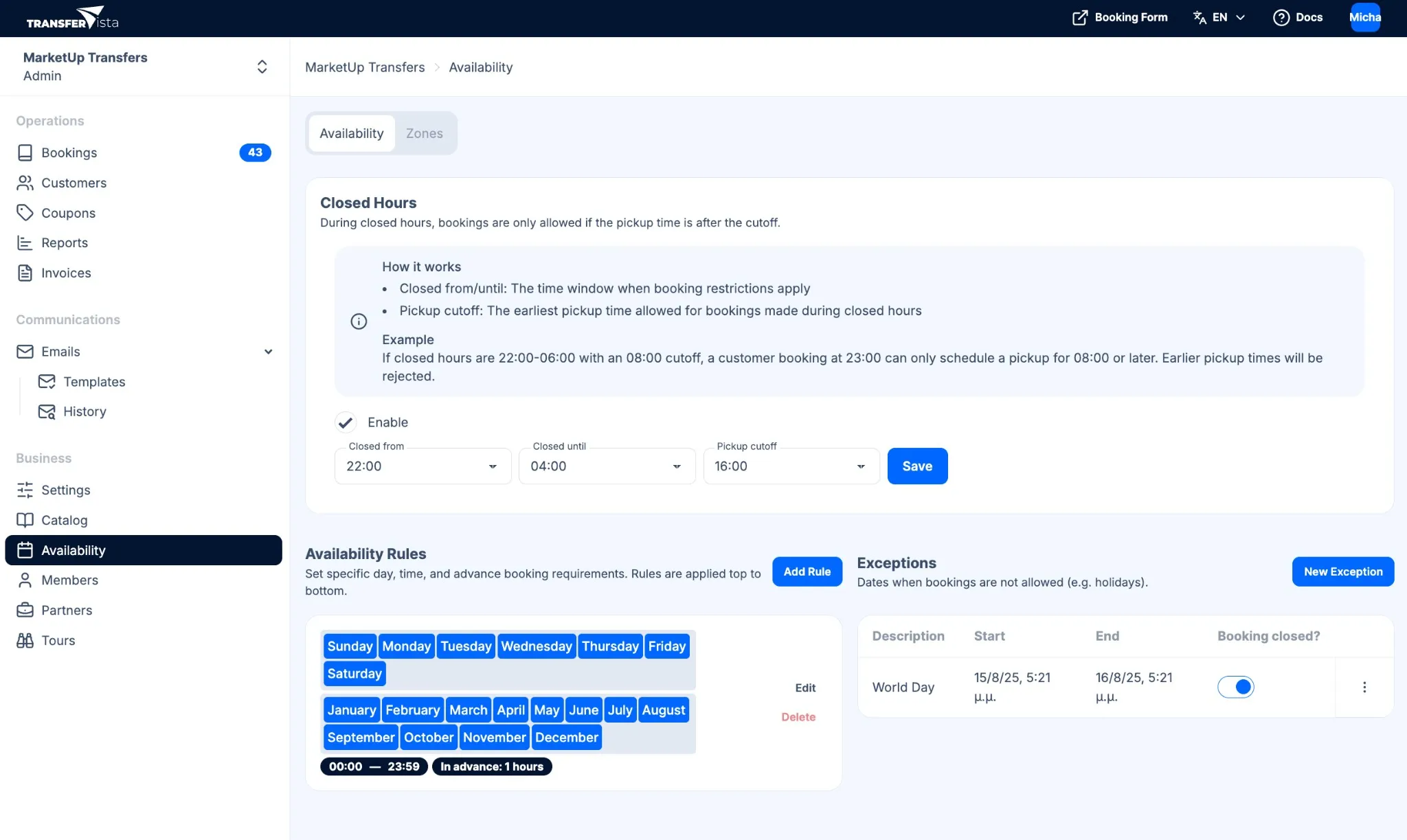
- When – Rules & Scheduling let you set operating hours, closed hours, advance-booking margins, and unavailable dates (e.g. holidays).
If a customer tries to book outside these zones or outside your rules, they will see that the service is not available for that request.
The booking form evaluates availability in two steps: first it checks that pickup and drop-off fall within your Availability Zones; then it applies your Rules & Scheduling (operating hours, closed hours, advance-booking margin, and date exceptions) to determine which times are offered.
How it works with the booking form
Section titled “How it works with the booking form”The public booking form uses your availability configuration to:
- Restrict pickup and drop-off to your availability zones
- Only offer times that fall within your rules and outside closed hours
- Block unavailable dates
In the admin panel, Availability is under Business in the sidebar. It has two tabs: Availability (closed hours, rules, exceptions) and Zones (geographic zones).
Next steps
Section titled “Next steps”- Availability Zones - Define where your service operates
- Rules & Scheduling - Set hours, closed periods, and date exceptions