Rules & Scheduling
You can control when customers can book by using availability rules, closed hours, and unavailable dates. Go to Business > Availability in the sidebar and open the Availability tab (the first tab).
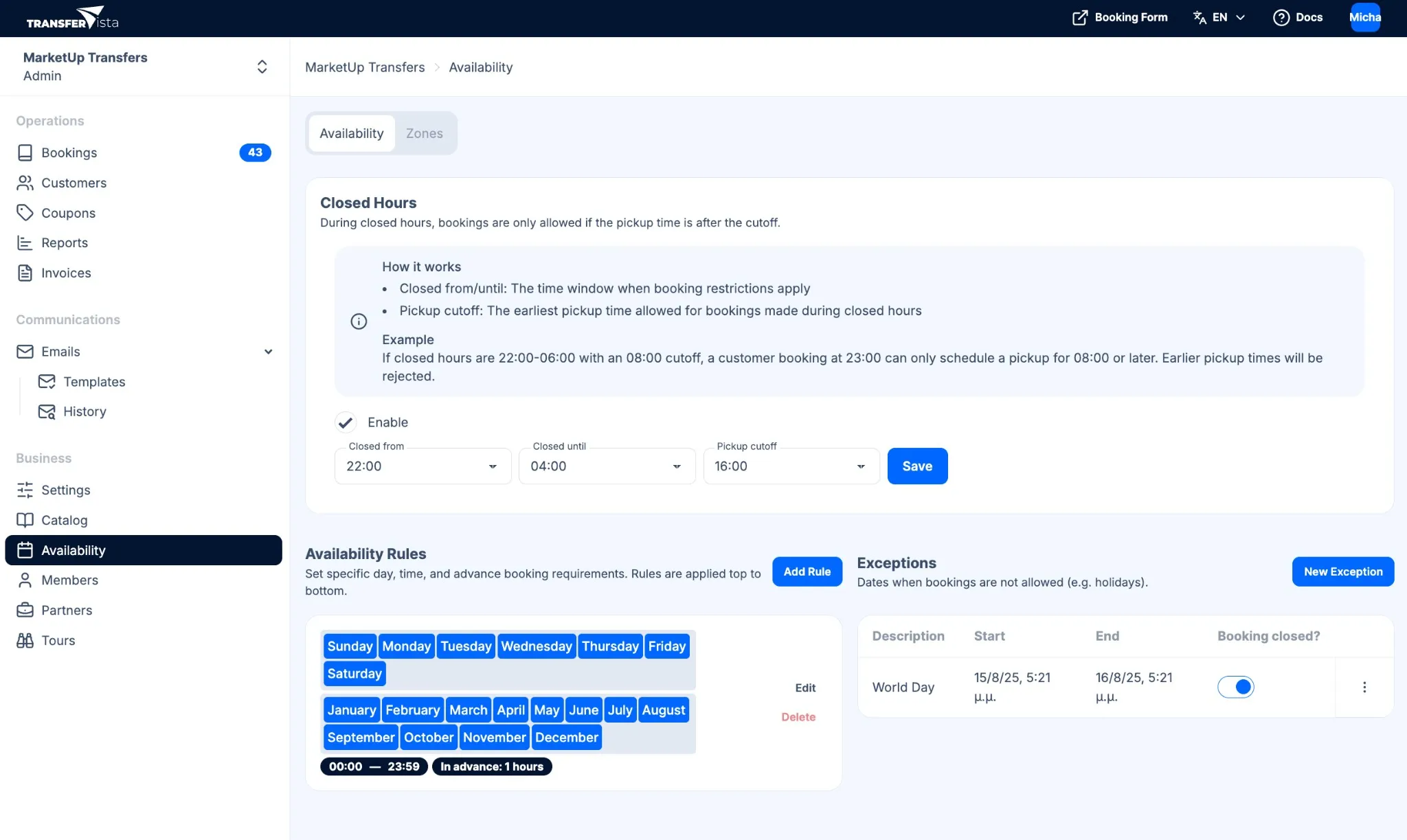
Availability rules
Section titled “Availability rules”Availability Rules set specific day, time, and advance booking requirements. Rules are applied top to bottom. For each rule you can set:
- Day of week (Mon–Sun)
- Month (Jan–Dec)
- Time range (start time – end time, e.g. 00:00–23:59)
- In advance (minimum notice period before pickup, e.g. 1 hour)
- Description (optional label for the rule, e.g. “Weekend hours” or “Summer schedule”)
Use Add Rule to create a rule; each rule can be Edited or Deleted. This is useful for seasonal or part-time operations (e.g. summer or winter schedules, weekends only). To block specific dates (e.g. holiday periods), use Exceptions below.
Closed hours
Section titled “Closed hours”In Availability > Availability (first tab), the Closed Hours section explains: During closed hours, bookings are only allowed if the pickup time is after the cutoff.
- Closed from / Closed until – The time window when booking restrictions apply.
- Pickup cutoff – The earliest pickup time allowed for bookings made during closed hours.
Example: If closed hours are 22:00–06:00 with an 08:00 cutoff, a customer booking at 23:00 can only schedule a pickup for 08:00 or later. Earlier pickup times will be rejected.
Use cases include night hours (e.g. no pickups between 22:00 and 06:00) or office hours only (e.g. only allow bookings when your office is open; set closed hours outside that window with an appropriate cutoff).
Use the Enable checkbox to turn closed hours on or off, then click Save.
Exceptions
Section titled “Exceptions”Exceptions are dates when bookings are not allowed. Use them to block specific days or date ranges (e.g. when you are not operating).
Use New Exception to add an exception. Enter a Description (e.g. “Christmas”) and select the Start and End dates (date picker or calendar). The table shows Description, Start, End, and Booking closed? Common use cases: public holidays, company holidays, and special events (e.g. road closures, local events). You can edit or remove exceptions from the table at any time.
Related pages
Section titled “Related pages”- Availability Overview
- Availability Zones - Where your service operates