Managing Bookings
Dieser Inhalt ist noch nicht in deiner Sprache verfügbar.
Drivers update booking status from the assignment detail view. At the bottom of the screen, the Actions section has two buttons: Picked Up and Completed.
Updating status
Section titled “Updating status”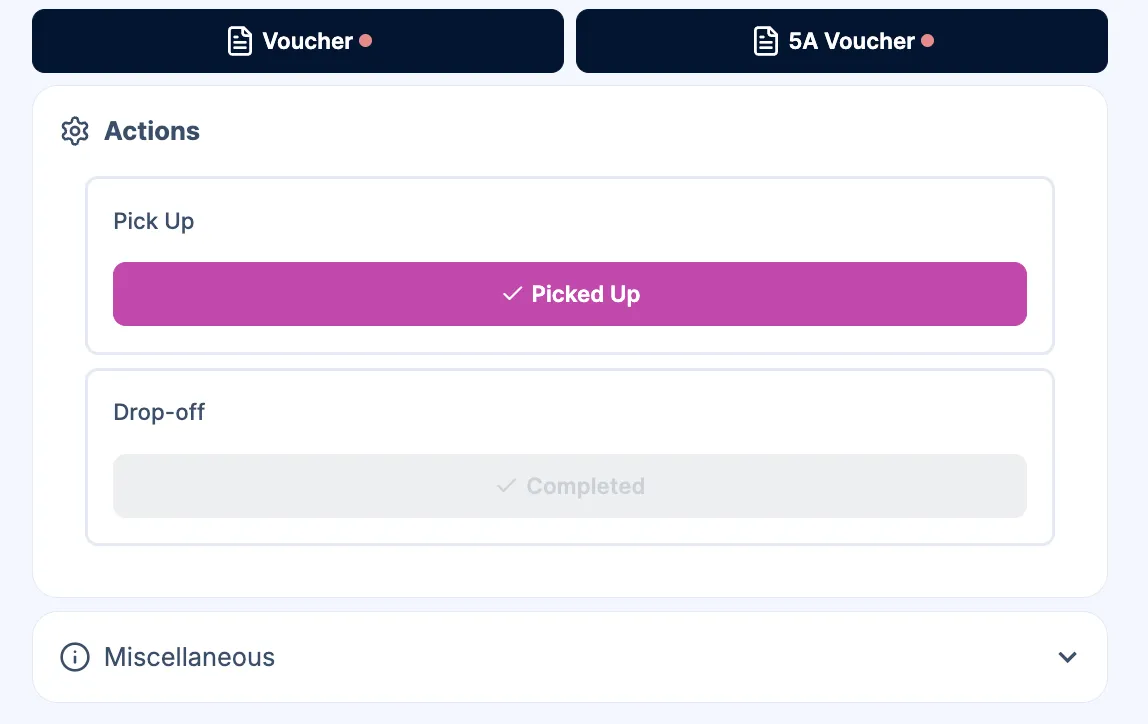
Two status changes are done by the driver:
- Picked Up – Tap this when the customer has been collected and the journey has started.
- Completed – Tap this when the customer has been dropped off and the transfer is finished.
The Completed button is only available after the booking has been marked Picked Up. You may see a short confirmation (e.g. “Mark as Picked Up?”) before the status is updated.
After the status change
Section titled “After the status change”- When you mark a booking Completed, it moves to Previous Assignments on your Dashboard.
- TransferVista can send email notifications to the customer and/or manager (e.g. “Driver has picked you up”, “Transfer completed”), depending on your Email Templates settings.
Viewing completed assignments
Section titled “Viewing completed assignments”Completed transfers appear in the Previous Assignments section on the Dashboard. Use this to review what you have done and for record-keeping.
Related pages
Section titled “Related pages”- Viewing Assignments - Open an assignment and see the Actions section
- Status Workflow - Full list of statuses and transitions